Home › Technology & API
Asset Guidelines
📝 This is a reference translation. In case of any discrepancy, the Japanese version prevails.
This page describes the specifications for images and text assetspurchase flow for Game8 Store
It covers asset types, size requirements, design guidelines, and submission instructions.
Image Assets
| Asset Name | Requirement & Quantity | Usage | Design | Size | File Format |
|---|---|---|---|---|---|
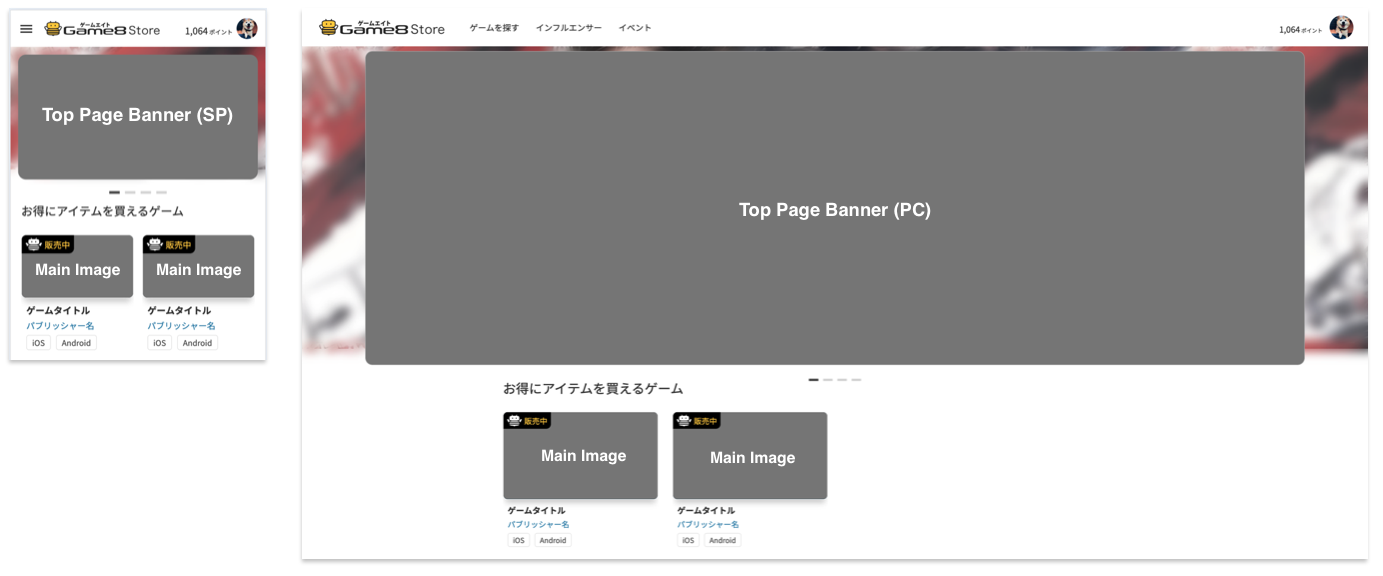
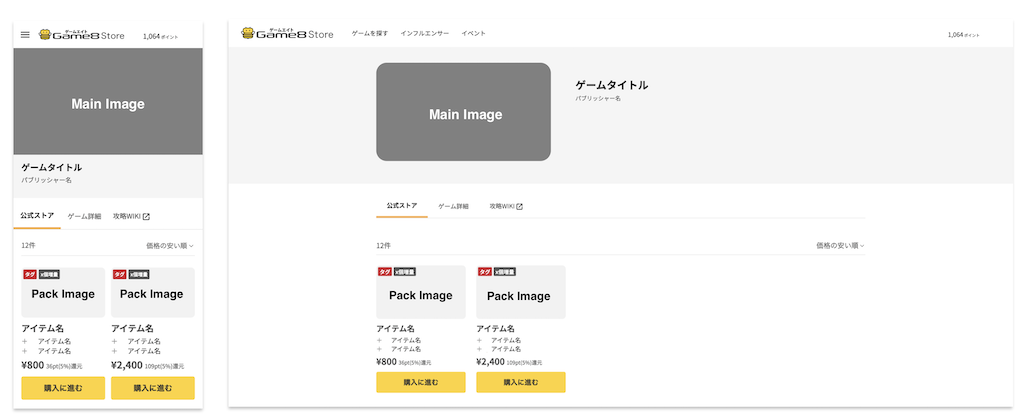
| Main Image Required | 1 image Displayed on the game detail page and game list page. | Game logo and artwork | Minimum 1024x576. Aspect ratio: 16:9. | png Pack Image | Required |
| 1 image per product Displayed on the in-game item sales page. | 1 image Minimum size: 256×256. Aspect ratio: 1:1.Other sizes and ratios are also acceptable. | png | Top Page Banner (PC) | Required | Required |
| Game logo and artwork 2240×748 px | 1 image | Top Page Banner (PC) | Minimum 1024x576. Aspect ratio: 16:9. | Displayed on the PC top page. | Required |
| 2240×748 px png | 1 image | Displayed on the smartphone top page. | Minimum 1024x576. Aspect ratio: 16:9. | 1200×630px | Required |
top page(https://store.game8.jp/)
in-game item sales page
Submission Method
- Please send the assets to your sales representative.